

When I started my first blog, I had no idea it would eventually become a full-time business. Today, blogging allows me to do work I genuinely love while earning an income online, but in the beginning I was simply trying to figure out how to launch a website without wasting money.
Like most beginners, I felt completely overwhelmed by all the hosting options. Everyone claimed to be the fastest, the best, or the most powerful, and honestly, I just wanted someone to tell me what to buy so I could finally start my website.
Looking back, I'm glad I didn't overcomplicate it.
If you're launching your very first blog, I genuinely think Bluehost is one of the best places to start. It's affordable, beginner-friendly, and makes getting your WordPress website online simple. Bluehost is also one of WordPress.org's recommended hosts, and their WordPress hosting includes a free domain for the first year on eligible plans.
You don't need premium hosting before you've even published your first post. In my opinion, it makes much more sense to start with affordable hosting, learn how blogging works, and upgrade later once your blog is actually earning money. I always tell new bloggers that it's much smarter to invest your budget into creating great content than paying for premium hosting before you even have visitors.
Disclosure: This post contains Bluehost affiliate links, which means I may earn a small commission if you sign up through my link, at no extra cost to you. I only recommend tools that I personally use or genuinely believe are a great fit for new bloggers.
Bluehost: Quick Verdict
- ⭐ Rating: 4.7/5
- Best for: First-time bloggers, food bloggers, lifestyle bloggers, travel bloggers, parenting bloggers, and anyone starting a WordPress website.
- Not ideal for: Established websites with heavy traffic, lots of display ads, or blogs that already need premium performance.
- Why I recommend it: It's affordable, easy to set up, beginner-friendly, and includes the basic tools you need to launch a WordPress blog.
💡 Special Bluehost Offer
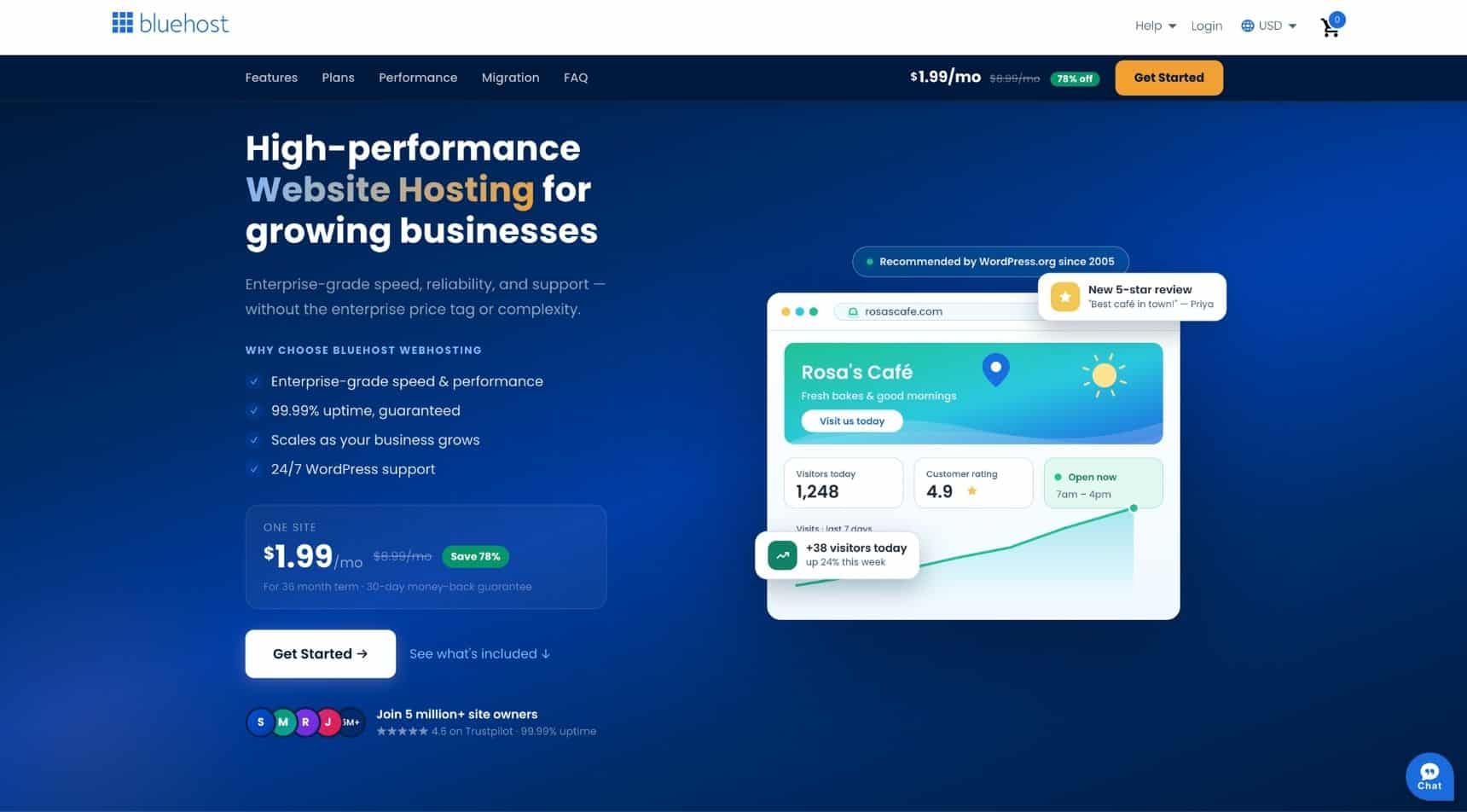
Through my affiliate link, you can currently save on Bluehost hosting and pay just $1.99/month instead of the regular promotional price of around $2.80/month. You'll also get a free domain for your first year on eligible plans.
Want to Save This Recipe?
Enter your email and we’ll send the recipe directly to you!
By submitting this form, you consent to receive emails from The Yummy Bowl.
Why I Recommend Bluehost for New Bloggers
One of the biggest reasons I recommend Bluehost is because it removes so much of the technical confusion. Instead of spending hours watching YouTube tutorials or trying to understand server settings, you can have your blog online in just a few simple steps.
When you're new, you don't need complicated server settings, expensive hosting, or a long list of advanced features. You need a simple way to get your blog online so you can start publishing content.
Bluehost makes this easy with WordPress setup, a beginner-friendly dashboard, free SSL, and a free domain for the first year on eligible plans.
For a brand-new blogger, that's exactly what you need. You can learn more about Bluehost here.
Why I Don't Think Beginners Need Premium Hosting Yet
This is something I feel strongly about.
When you're just starting your blog, there is usually no reason to pay for expensive premium hosting before your blog is earning income. You can start a blog as low as 1.99 a month, that's less than a cup of coffee!
Premium hosting can be a great investment later, especially once your blog has strong traffic, display ads, and more scripts running on the site. Ads can slow down your website, so when you reach that stage, faster hosting can make a real difference.
But in the beginning?
Your focus should be on publishing helpful content, learning SEO, building your email list, and getting your first readers.
Bluehost gives you enough to start without overspending before your blog is making money.
Bluehost Features at a Glance
Bluehost includes many beginner-friendly features, such as:
- WordPress setup
- Free domain for the first year on eligible plans
- Free SSL certificate
- Beginner-friendly dashboard
- 24/7 support
- Security features
- Website backups depending on the plan
- WordPress tools and updates
For most beginner bloggers, this is more than enough to get started.
How to Start a WordPress Blog with Bluehost
Below is the simple step-by-step process for starting your blog with Bluehost.
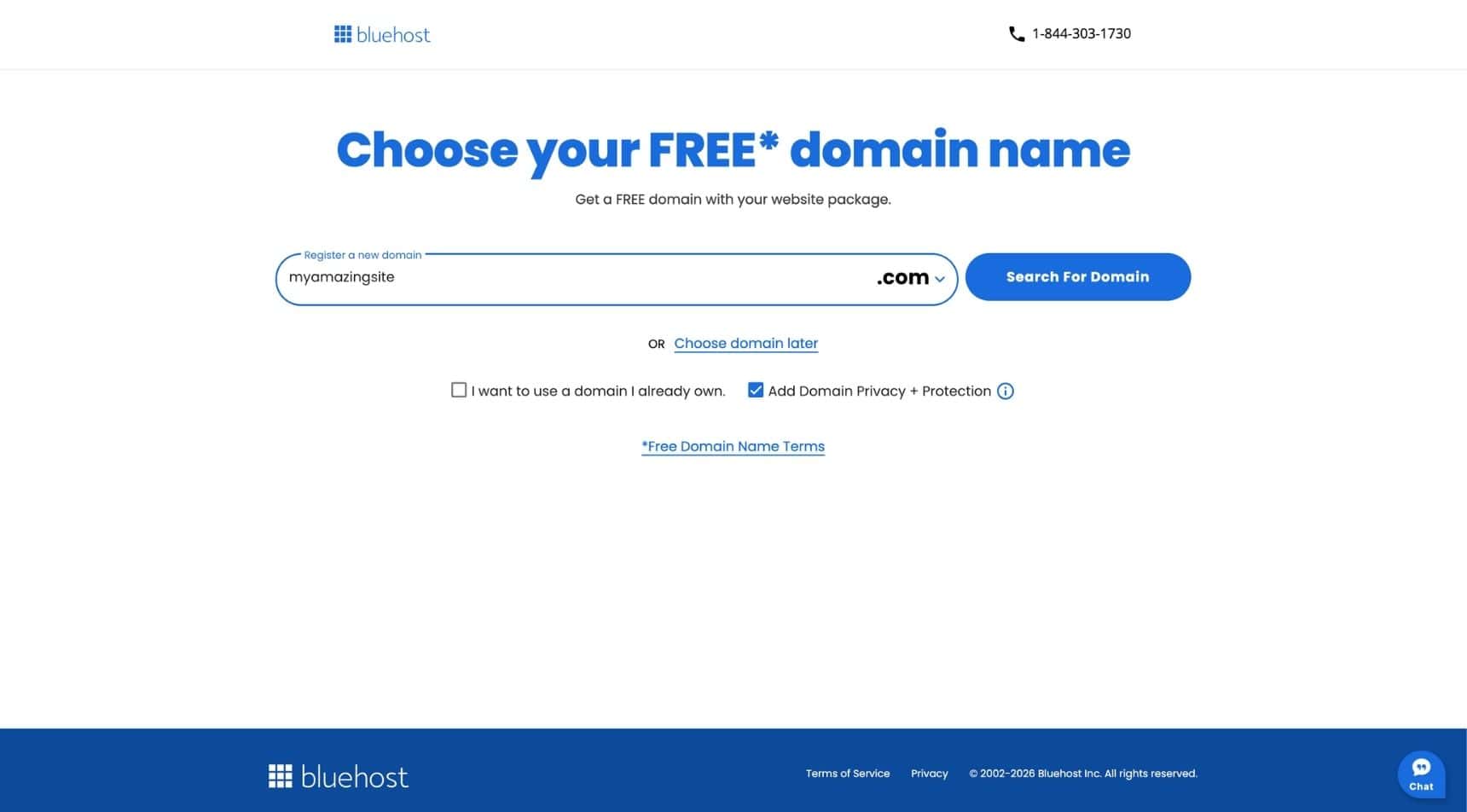
Step 1: Choose Your Domain Name
Your domain name is your website name.
For example, mine is The Yummy Bowl.
Try to choose something easy to spell, easy to remember, and broad enough that you can grow with it. If you're starting a food blog, you don't have to make the name too specific unless you're sure you want to stay in one niche forever.
Bluehost includes a free domain for the first year on eligible hosting plans, which helps keep your startup costs lower.
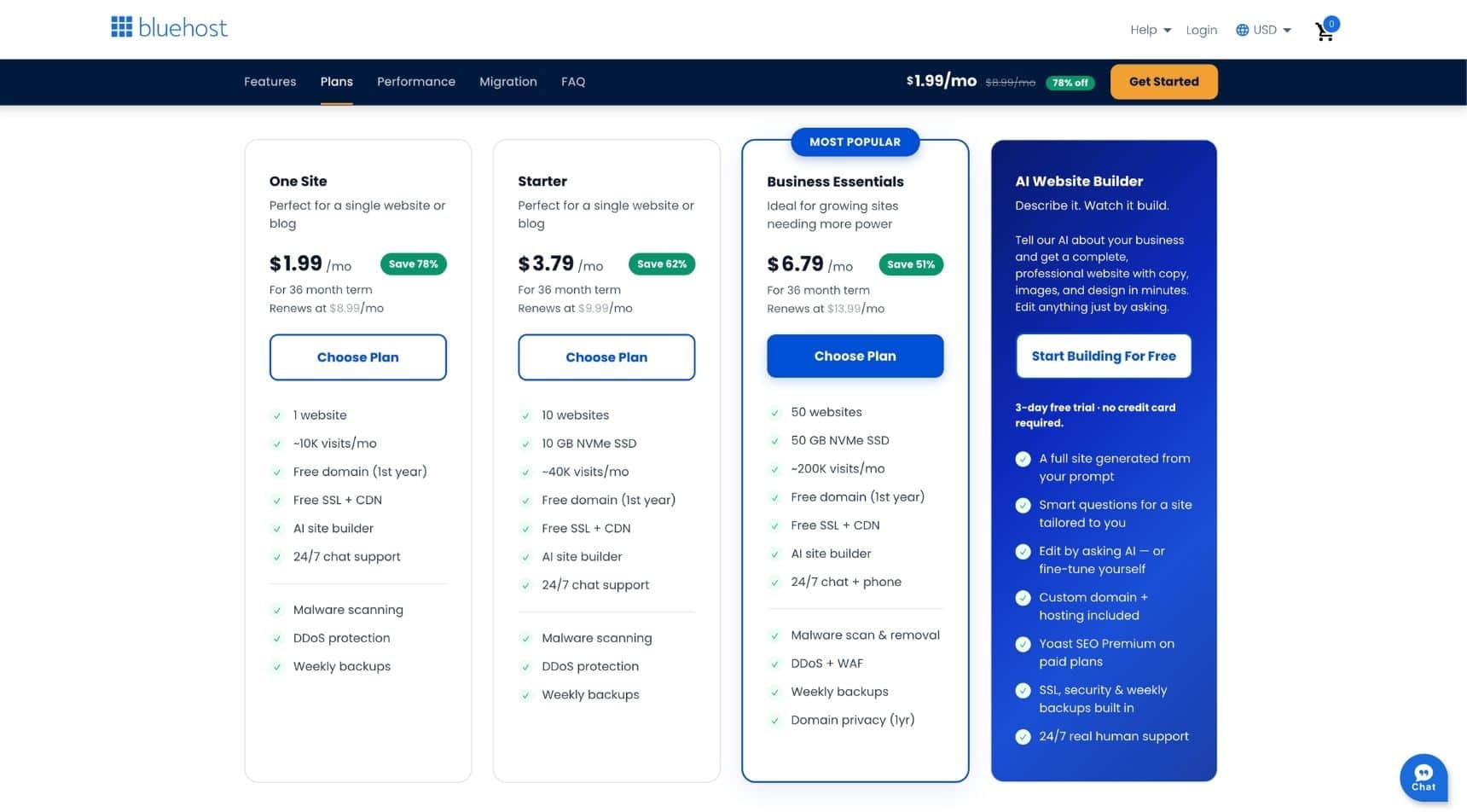
Step 2: Choose Your Hosting Plan
If you're a beginner, I recommend starting with the lowest-priced plan that fits your needs.
Start simple. Keep your costs low. Focus on building your content first.
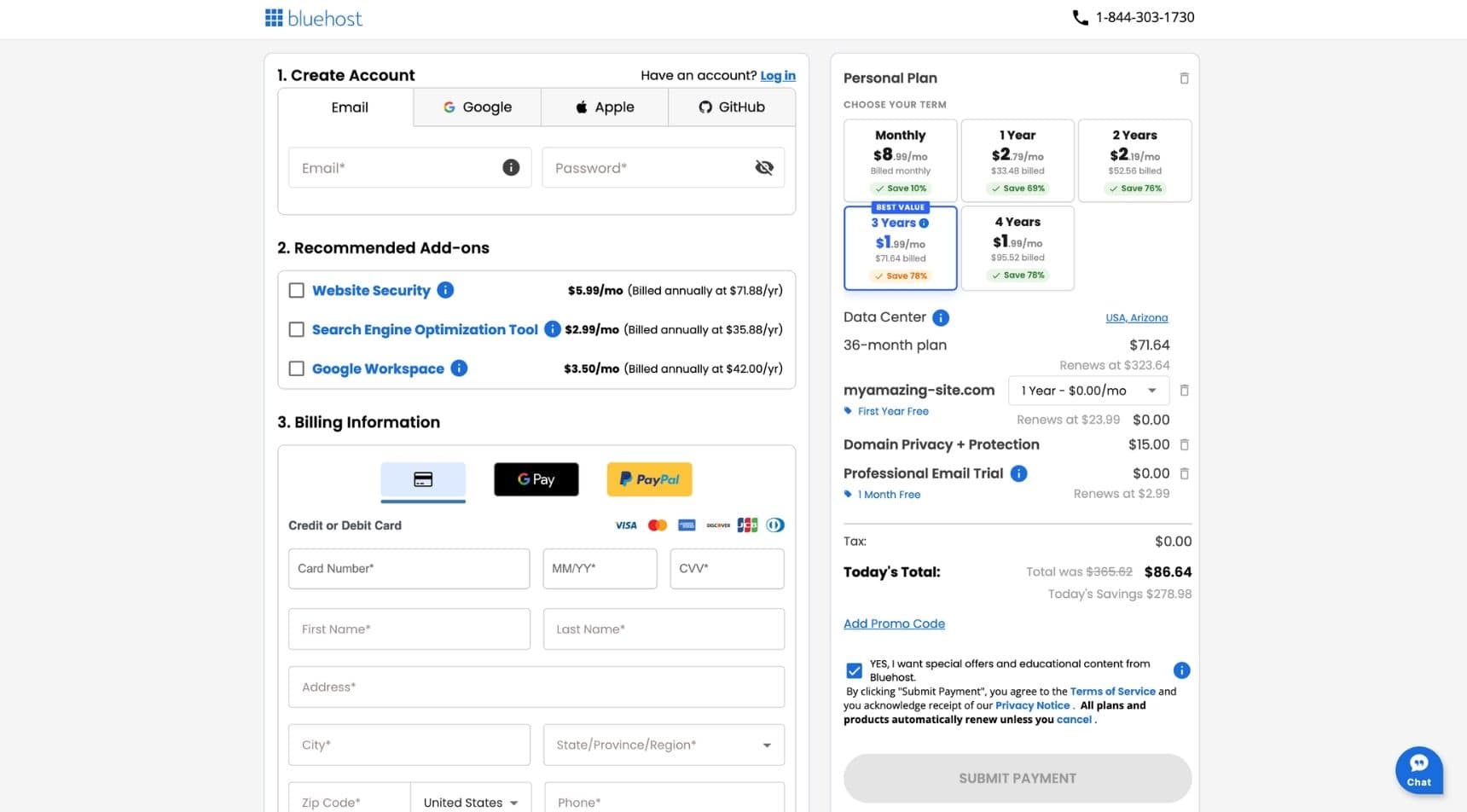
Step 3: Create Your Account
After choosing your plan, you'll enter your account information and payment details.
Before checking out, look carefully at any optional add-ons. Some may be helpful, but you don't need every extra feature when you're brand new.
The main things you need are hosting, your domain, and SSL.
Step 4: Install WordPress
This is the part that sounds scary, but Bluehost makes it very simple.
Bluehost's WordPress hosting is designed so beginners can get started without manual configuration or technical experience. Their current WordPress hosting information says WordPress comes pre-installed on all plans.
Once WordPress is ready, you'll be able to log in to your WordPress dashboard and start building your site.
Step 5: Choose a WordPress Theme
Your theme controls how your website looks, so it's worth choosing one that's fast, mobile-friendly, and easy to customize.
If you're looking for a beautiful, professional-looking blog design, Restored 316 is one of my favorite theme shops. Their themes are beginner-friendly, mobile responsive, and designed specifically for bloggers, making it easy to create a polished website without hiring a designer.
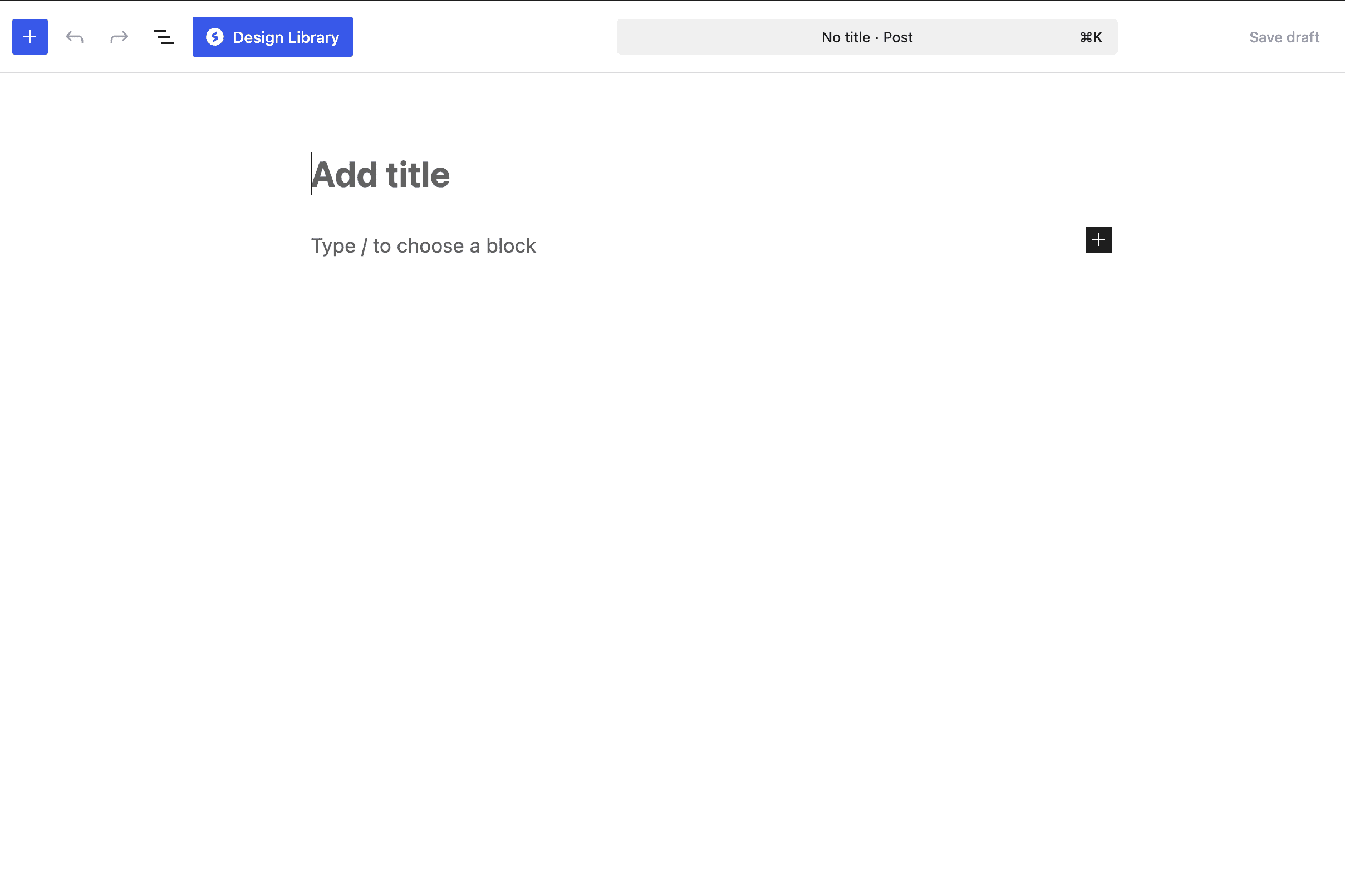
Step 6: Write Your First Blog Post
Once your site is set up, it's time to publish your first post.
Don't worry if it isn't perfect. Everyone starts somewhere.
If you're starting a food blog, you could begin with a simple recipe, a kitchen tip, or a helpful roundup post. The most important thing is to start creating content and learn as you go.
What I Like About Bluehost
Pros:
- Easy setup for beginners
- Affordable starting price
- Free domain for the first year on eligible plans
- Free SSL certificate
- Beginner-friendly dashboard
- Good option for starting a WordPress blog
- You can upgrade later as your blog grows
Cons:
- Not the fastest hosting option for large, established websites
- Advanced features may require higher-tier plans
- You may eventually outgrow it once your blog has heavy traffic and display ads
Who Bluehost Is Best For
I recommend Bluehost if you are:
- Starting your first blog
- Launching a food, lifestyle, parenting, or travel blog
- Building a simple business website
- Trying to keep startup costs low
- Not very technical
- Looking for an easy way to start with WordPress
Why I Don't Recommend Free Blogging Platforms
I know it can be tempting to start on a free blogging platform, especially when you're trying to keep costs low.
But if your goal is to eventually make money from your blog, I would start with a self-hosted WordPress website from day one.
With self-hosted WordPress, you have more control over your website, your content, your design, your ads, your affiliate links, and your long-term business. You can grow your email list, apply to ad networks, use affiliate programs, create digital products, and build your blog like a real business.
Free platforms may seem easier in the beginning, but they can become limiting very quickly.
For just a few dollars a month, Bluehost gives you a more professional foundation from the start.
Bluehost Review: Summary
If I were starting a brand-new blog today, I'd still choose Bluehost.
It's affordable, beginner-friendly, and gives you everything you need to launch a professional WordPress website without spending money on features you don't need yet.
As your blog grows, you can always upgrade your hosting. But when you're just getting started, I think Bluehost is one of the smartest investments you can make.
Bonus: If you're ready to launch your blog, you can get started with Bluehost for just a few dollars per month through my affiliate link, making it one of the most affordable ways to build your first WordPress website.
FAQ Bluehost
Yes. In my opinion, Bluehost is one of the easiest hosting companies for first-time bloggers. The setup process is straightforward, and you don't need any technical experience to launch your website.
Absolutely. Many successful bloggers move to another hosting provider as their traffic grows. Migrating your website is common, so you don't have to worry about making a forever decision.
Yes. Most Bluehost plans include a free domain name for your first year, which helps keep your startup costs lower.
Yes. Bluehost is officially recommended by WordPress and makes installing WordPress incredibly simple with one-click setup.
In my opinion, no. Premium hosting makes much more sense once your blog is generating consistent traffic and income, especially if you're running display ads that require more server resources. When you're just getting started, Bluehost is more than enough.
Before You Go
If you found this post helpful, I'd love to hear from you! Leave a comment below and let me know your thoughts, questions, or experiences. Your feedback helps me create content that truly serves this wonderful community. ❤️
More Blogger Resources
Starting a blog or growing one?
Over the years I've tested dozens of blogging tools, plugins, and services. These are the ones I actually use to run my recipe websites every single day. They've helped me grow my traffic, speed up my sites, organize my content, build my email list, and create a business I can run from anywhere.
WP Tasty Recipe Plugin: If you publish recipes, this is hands down one of the best investments. Beautiful recipe cards, automatic nutrition, recipe scaling, jump buttons, and everything you need to make recipes easy for readers to follow.
WP Recipe Maker: Another excellent recipe plugin packed with customization options and SEO features. A great choice if you're looking for flexibility.
Link Whisper: One of my favorite SEO tools. It makes internal linking incredibly easy and has saved me countless hours while helping readers discover more of my content.
WP Rocket: Probably the easiest way to speed up your WordPress website. Faster pages mean happier visitors and can also help improve SEO.
BigScoots: After trying several hosting companies over the years, this is the one I trust. Their support is exceptional, my websites load quickly, and migrations were completely stress-free.
NerdPress: Whenever I run into technical WordPress issues, NerdPress is my first stop. They handle the complicated fixes so I can focus on creating content.
Restored 316 Themes: Beautiful, feminine WordPress themes that are easy to customize and built with bloggers in mind.
Kadence Theme & Blocks: The theme and page builder I currently use. It's lightweight, fast, and gives me complete control over designing my pages without needing custom code.
Semrush: The main SEO tool I use for keyword research, competitor analysis, and finding new content opportunities.
CoSchedule: To schedule social media posts.
Flodesk: The email platform I use for all of my newsletters, freebies, and automated email sequences. It's incredibly easy to use and the email designs are beautiful.
AppSumo: One of my favorite places to discover lifetime software deals. I've found some incredible blogging tools there over the years.
Etsy: Whenever I need Pinterest templates, ebook templates, social media graphics, or branding elements, Etsy is usually the first place I check. There are thousands of affordable templates that save hours of design work.
Creative Market: Another favorite for beautiful fonts, logos, mockups, and branding assets created by talented designers.
My Photography Gear
Sony Camera: Every recipe photo and most of my videos are shot with this camera + my-go to lens + zoom lens.
Vlogging camera for reels + the lens I use.
Join TYB
Insider
Get access to exclusive recipes,
weekly meal plans, printable
grocery lists, and AD-FREE
browsing designed to make
mealtime easier.

Comments
No Comments